
SMSGlobal has introduced a new process for creating Sender IDs.
Instead of entering business details each time you create a Sender ID, you can now create a Business Profile first, which stores all your company information in one place. You can then link multiple Sender IDs to that profile.
This has been designed to make Sender ID management more efficient, especially for organisations with multiple Sender IDs.
What’s Changed?
| Old Process | New Process |
|---|---|
| Enter business details for each Sender ID | Create a Business Profile once |
| Limited reuse of information | Reuse profile across multiple Sender IDs |
| Slower for multiple IDs | Faster and more scalable |
Step 1: Create a Business Profile
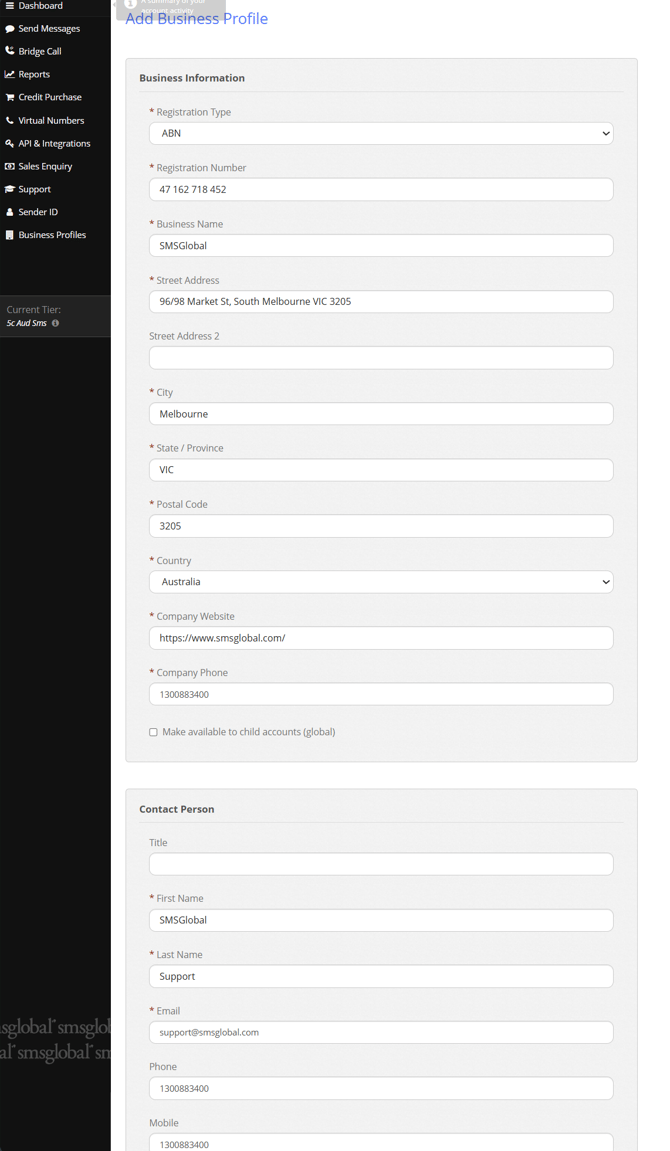
Navigate to Business Profiles in the SMSGlobal portal and select “Add Business Profile.”
You’ll need to complete the following required fields. Please note that this is the same information that was required in the previous system
- Registration Type (e.g. ABN)
- Registration Number
- Business Name
- Street Address
- City, State, Postcode
- Country
- Company Website
- Company Phone
- Contact Person Details
Step 2: Create a Sender ID
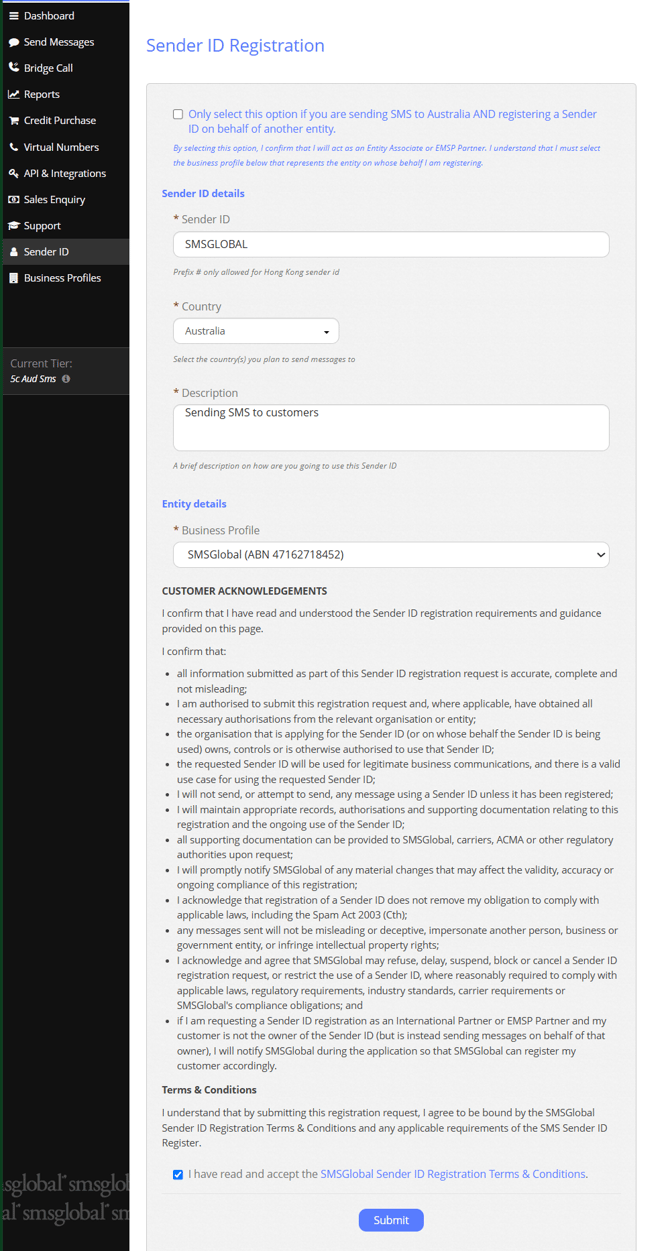
Once your Business Profile is set up:
- Go to the Sender ID section
- Click Add Sender ID
- Select your Business Profile from the dropdown
- Enter your desired Sender ID
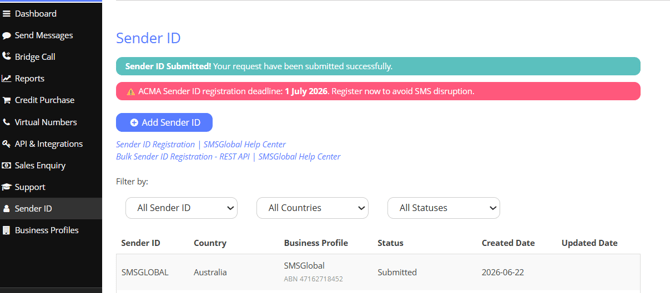
- Submit for registration
Key Benefits
Faster Setup
No need to re-enter business details each time you create a new Sender ID.
Scalable for Larger Organisations
Ideal for businesses managing multiple Sender IDs across teams, departments, or campaigns.
Cleaner Management
All Sender IDs are linked to a single, verified Business Profile, making administration easier.
Important NotesBusiness Profiles must be created before adding any Sender IDs.
Each Sender ID must be linked to a Business Profile—this is now mandatory.
Need Help?
If you run into any issues creating your Business Profile or linking Sender IDs, feel free to reach out to support for assistance.